Recording vocals at home is more accessible than ever, yet achieving a polished, studio-quality sound can still feel out of reach. Whether you are a budding singer-songwriter, content creator, or aspiring performer taking Music Lessons in Singapore, the right approach, environment, and tools can make all the difference. With proper preparation, smart recording techniques, and consistent practice, it is entirely possible to produce professional-sounding vocal recordings from the comfort of your own space.
1. Start with the Right Space
Your recording space has a major influence on vocal quality. Ideally, choose a small to medium-sized room with minimal hard surfaces. Kitchens and bathrooms should be avoided, as tiles and glass create strong reflections that colour your sound.
Tips for Optimising Your Room
- Add soft furnishings such as curtains, rugs, and cushions to absorb unwanted reflections.
- Use DIY acoustic panels like thick blankets or duvets near your recording spot to reduce echo.
- Record away from windows and doors to minimise external noise.
2. Invest in Essential Equipment
You do not need a professional studio budget, but a few key pieces of gear make a noticeable difference.
Must-Have Home Recording Gear
- Microphone: A large-diaphragm condenser microphone, e.g. Audio-Technica AT2020 or Rode NT1-A, captures vocals clearly.
- Audio Interface: Converts your microphone signal to digital; the Focusrite Scarlett series is popular.
- Headphones: Closed-back headphones prevent sound leakage, such as Sennheiser HD280 Pro or Audio-Technica ATH-M50x.
- Mic Stand and Pop Filter: Reduces plosives and handling noise for a cleaner recording.
3. Microphone Placement and Technique
Good mic technique is essential for clarity and consistency.
Key Points
- Position the microphone at mouth level, around 15–20cm away.
- Use a pop filter about 5cm from the mic to reduce harsh ‘p’ and ‘b’ sounds.
- Stand upright with good posture and avoid touching the mic stand during takes.
- Experiment with slight angle adjustments to achieve your ideal vocal tone.
4. Control Your Recording Environment
Background noise can compromise even the best vocal performance. Turn off fans, air conditioners, and electronics, and record during the quietest time of day.
Pro Tip: Record a few seconds of silence before each take. This helps with noise reduction during post-production.
5. Set Recording Levels Properly
Correct input levels ensure clean recordings without distortion.
How to Check
- Use your audio interface gain knob to adjust the signal.
- Monitor your DAW input meters while singing at your loudest to stay between 12dB and -6dB.
6. Multiple Takes and Comping
Do not rely on a single take. Recording several full performances and piecing together the strongest sections, known as comping, ensures the best overall vocal.
Why Comping Works
- Captures the best moments of each line or phrase.
- Reduces pressure to deliver a perfect performance in a single take.
7. Basic Post-Production Steps
Even a high-quality recording benefits from careful post-production.
Essential Processing
- EQ: Cut low frequencies below 80Hz to remove rumble; boost clarity around 2–5kHz if needed.
- Compression: Smooths out volume inconsistencies, keeping vocals present in the mix.
- De-esser: Reduces harsh ‘s’ sounds without dulling the vocal tone.
- Reverb: Apply subtly to add depth without overpowering the vocal.
8. Back Up and Organise Your Files
Save your work in multiple locations, such as external drives and cloud storage. Name your files clearly, for example, “Vocal_Take1_12Dec2025.wav,” to stay organised and avoid confusion during editing.
9. Collaborate and Get Feedback
Sharing rough mixes with friends, teachers, or fellow musicians provides a valuable perspective. Fresh ears often catch issues you may overlook after repeated listening.
10. Keep Practising
The more you record, the better you become at both performing and engineering your own sound. Each session builds confidence, sharpens technique, and improves consistency.
Understand Your Vocal Style and Genre
Adapting your recording technique to your musical genre makes a significant difference. Pop and R&B vocals often benefit from a clean, upfront sound, whereas rock or indie may sound better with a raw, textured approach. Acoustic and folk performers usually aim for a natural, intimate capture. Listening to professionally produced tracks in your genre helps guide tone, mic placement, and processing decisions.
Choose the Right Recording Format and Settings
Recording in high-quality formats ensures your vocals retain clarity during editing and mixing. Use a sample rate of 44.1kHz or 48kHz with 24-bit depth. Always record in WAV or AIFF instead of compressed formats like MP3 to avoid losing audio data. Correct DAW project settings prevent technical issues and maintain professional audio quality.
Warm Up Your Voice Before Recording
Vocal preparation improves tone, pitch accuracy, and stamina. Spend 10–15 minutes on lip trills, humming, and scales before recording. Proper hydration and avoiding cold drinks immediately before recording also help maintain vocal health.
How Vocal Training Improves Recording Results
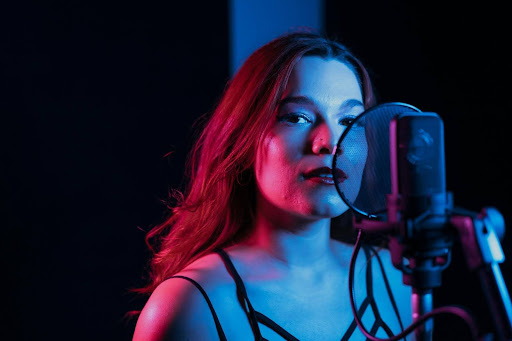
Technical setup alone cannot compensate for poor vocal control. Consistent vocal training plays a major role in recording clarity, pitch accuracy, and tonal balance. Singers who understand breath control, projection, and vocal placement require less corrective processing during mixing, resulting in a more natural and professional sound.
Taking a structured vocal lesson in Singapore can help vocalists develop stronger technique, improve stamina, and gain confidence behind the microphone. This is especially beneficial for home recording artists who need reliable performances across multiple takes and recording sessions.
Use Vocal Automation
Automation allows you to adjust volume levels for specific words or phrases, enhancing clarity and emotional impact. Even small adjustments can make vocals sit more naturally in the mix. Most DAWs, including free options, allow automation, making it a valuable tool for home recordings.
Common Home Recording Mistakes to Avoid
Many home recordings suffer from avoidable errors, such as:
- Recording too close to reflective surfaces
- Overusing reverb or heavy compression
- Neglecting file organisation
- Recording too quietly and boosting later, introducing noise
Avoiding these mistakes saves time and improves your final mix.
Maintain Consistency Across Sessions
If recording over multiple days, ensure consistent mic placement, gain settings, and room setup. Take photos of mic positioning or mark your standing spot. Recording at similar times of day reduces changes in ambient noise and vocal tone. Consistency is key to producing professional-sounding recordings.
Hybrid Approach: When to Seek Expert Support
Even with excellent home recordings, professional input can elevate your tracks. Recording at home and then using a professional studio or engineer for final mixing and mastering is increasingly common. This approach blends creative freedom with industry expertise.
Conclusion
Achieving studio-quality vocals at home is entirely possible with the right approach and consistent practice. By recording in a well-treated space, using essential equipment, applying proper microphone technique, and setting accurate recording levels, you can significantly improve vocal clarity and consistency. Capturing multiple takes, applying thoughtful post-production, and organising your files further elevate the final result.
Most importantly, regular practice and constructive feedback help refine both performance and recording skills over time. With these proven vocal recording techniques, home recordings can sound professional, polished, and ready to share. For personalised guidance or additional support, you can contact Studio 72 to explore expert advice and resources.
Frequently Asked Questions
What is the best microphone for home vocal recording?
A large-diaphragm condenser microphone, such as the Audio-Technica AT2020, offers excellent clarity and detail for home vocals.
How do I reduce background noise in my recordings?
Record in a quiet, soft-furnished room, turn off noisy appliances, and use a pop filter to minimise plosives.
Do I need expensive software to mix vocals?
No. Free DAWs like Audacity or entry-level versions of Ableton or Logic are sufficient for high-quality home mixing.
How close should I stand to the microphone?
Around 15 to 20cm, with a pop filter to control plosives and maintain consistent levels.
Can I record good vocals without a soundproof room?
Yes. Focus on reducing reflections and background noise with soft materials, careful mic placement, and controlled recording levels.